One small installer, every version
Platinum used to be a zip of almost 800 MB. Now it is a 7 MB installer, a launcher that only downloads what changed, and a button that takes you back to any earlier release.
For most of its life, getting Platinum meant downloading one big zip of almost 800 MB, unpacking it somewhere and hoping you picked a sensible folder. Every update meant doing it again. Since version 0.32 that is gone, and this post explains what replaced it.
Seven megabytes
The download on this site is now a small installer, TrueCombat-Platinum-Setup.exe. It lets you choose where the game goes, optionally puts the launcher in a separate folder, creates desktop and Start menu shortcuts, and registers a proper uninstaller in Windows. It installs for your Windows user account.
The installer itself contains only the launcher. The moment it finishes, the launcher downloads the game.
Only what changed
The launcher downloads through the same updater it uses for every patch. Each release comes with a list of every file and its fingerprint. The launcher compares that list with what is on your disk and downloads only what is missing or different. A small update stays a small download.
That list is signed. The launcher checks that signature before it installs anything. If someone tampered with the list on the way to you, the signature no longer matches and the launcher refuses the update. Files that a newer version no longer uses are cleaned up, so old leftovers cannot cause strange behaviour.
Any version, any time
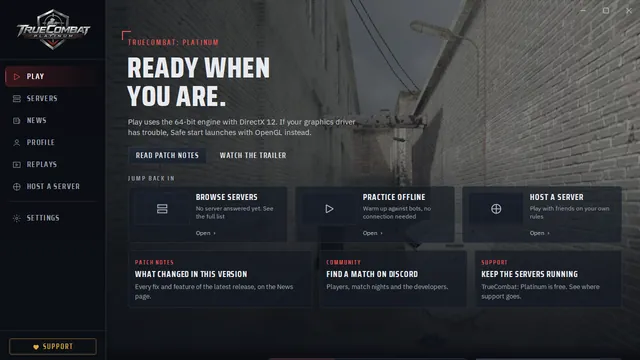
The launcher has a Versions button. It lists every release that supports the new updater and lets you install any of them, each from its own signed list. Choose an older release and the launcher stays on it until you switch back. One click on the latest version brings you up to date again.
That helps in more situations than you might expect: a clan that wants everyone on the same build for a match, a player comparing an old feeling to a new one, or simply a safe way back if an update ever gives you trouble.
How we tested it
Before release we ran the full cycle on a real Windows PC, eight checks in total: a silent install, listing the releases, a fresh install of the game, switching to an older release and back, and uninstalling. Each run starts from empty folders and downloads the whole game, about three gigabytes, so nothing from a previous run can hide a problem.
One honest note: the installer is not code-signed yet, so Windows SmartScreen can show a warning the first time you run it. Choose More info, then Run anyway. Always download the installer from this website or from our GitHub releases page.
Was this worth the read?
Anonymous. No account, no cookies.
Questions about this post? Ask the team on Discord.